
Buy Blades of Fire
Platform:
Windows
Genre:
Action
Publisher:
505 Games
Activation:
Steam
Release Date:
14 may 2026
Languages:
English
Type:
Key
Region:
EU
40.00 USD
 In stock
Blades of Fire is a dark fantasy adventure built on a single, uncompromising idea:
Steel is Destiny.
You are Aran de Lira, the last warrior capable of forging true steel in a world where metal turns to stone. Your journey is not about collecting weapons, but about forging them through intent, sacrifice, and consequence, and surviving long enough to master their weight.
Combat is deliberate and unforgiving. Every strike commits you. Every mistake costs you. Victory is earned through patience, positioning, and understanding both your enemy and the blade you forged to face them.
The Steam release includes Version 2.0 of the game, featuring major updates and improvements, plus the Adventurer Pack, the Artbook, and the award-winning original soundtrack by Óscar Araujo.
FORGE STEEL. SHAPE YOUR FATE.
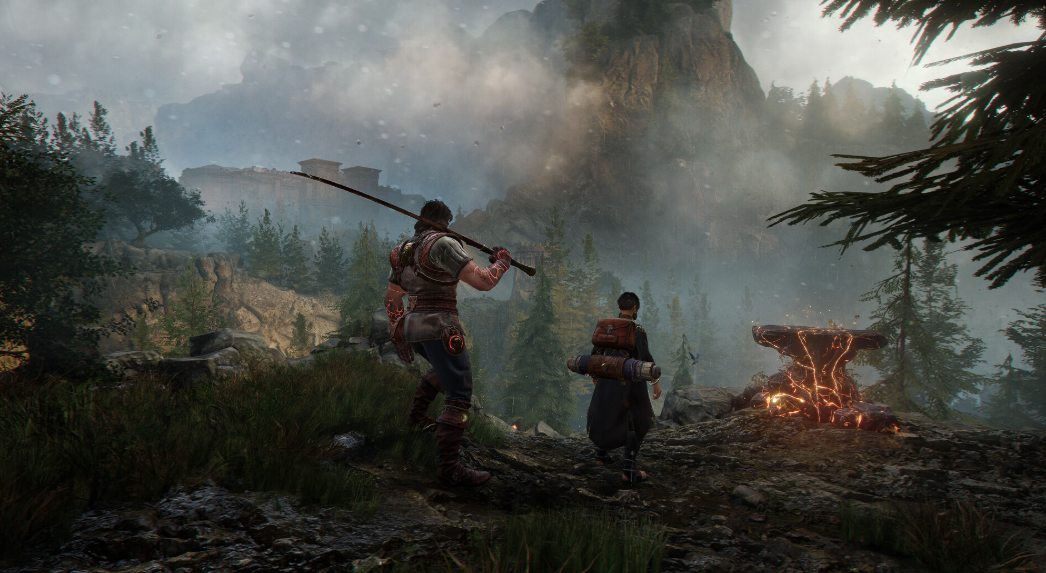
At the heart of Blades of Fire lies a forging system that is not crafting — it is commitment.
Weapons are forged at the anvil through deliberate choices that permanently shape their behaviour, balance, and purpose. There is no endless loot. No disposable gear.
Every blade reflects:
•The materials you chose.
•The enemies you prepare to face.
•The kind of warrior you decide to become.
Because steel remembers.
Steel is Destiny.
You are Aran de Lira, the last warrior capable of forging true steel in a world where metal turns to stone. Your journey is not about collecting weapons, but about forging them through intent, sacrifice, and consequence, and surviving long enough to master their weight.
Combat is deliberate and unforgiving. Every strike commits you. Every mistake costs you. Victory is earned through patience, positioning, and understanding both your enemy and the blade you forged to face them.
The Steam release includes Version 2.0 of the game, featuring major updates and improvements, plus the Adventurer Pack, the Artbook, and the award-winning original soundtrack by Óscar Araujo.
FORGE STEEL. SHAPE YOUR FATE.
At the heart of Blades of Fire lies a forging system that is not crafting — it is commitment.
Weapons are forged at the anvil through deliberate choices that permanently shape their behaviour, balance, and purpose. There is no endless loot. No disposable gear.
Every blade reflects:
•The materials you chose.
•The enemies you prepare to face.
•The kind of warrior you decide to become.
Because steel remembers.
Minimum Requirements
OS Windows 10
Processor Intel core i5-3470 or AMD Ryzen 5 1400
Memory 8 GB RAM
Graphics NVIDIA GeForce GTX 960, 4GB or Radeon R9 380, 4GB
DirectX Version 12
Storage 54 GB available space
If you are not familiar with the technical information of your PC, download the CPU-Z program. CPU-Z will give you detailed information about the main system components - CPU, RAM, video card - installed on your system, which you can then compare with the minimum requirements of the game.
- Go to: http://store.steampowered.com/ and download STEAM client
- Click "Install Steam" (from the upper right corner)
- Install and start application, login with your Account name and Password (create one if you don't have).
- Please follow these instructions to activate a new retail purchase on Steam:
- Launch Steam and log into your Steam account.
- Click the Games Menu.
- Choose Activate a Product on Steam...
- Follow the onscreen instructions to complete the process.
- After successful code verification go to the "MY GAMES" tab and start downloading.
Videos & Screenshots


Recommended





- Payments
-

-

-

-

-

-

-

-

-
