
Buy Brotato Soundtrack
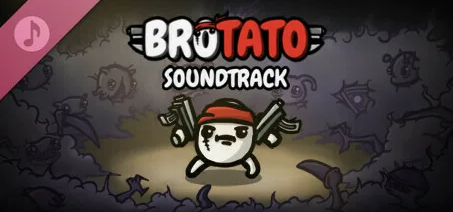
DLC
Platform:
Windows
Genre:
Adventure
Publisher:
Blobfish Games GmbH
Activation:
Steam
Release Date:
23 june 2026
Languages:
English
Type:
Key
Region:
EU
5 $
 In stock
Extra Content
Brotato required to run
Note: This soundtrack does not include the 6 legacy tracks originally used, as Blobfish Games does not own exclusive rights to them.
Relive the most adrenaline-pumping moments of surviving as a lone potato against an alien onslaught with this intense, pulse-pounding soundtrack, composed and produced by Adonai.
Track Listing
Disc 1
1 Liquid Glass 2:43
2 Phase Break 3:00
3 Turbine Kick 3:12
4 Wubs of the Deep 3:12
5 Hyperspace 3:26
Disc 2
1 Currents 3:20
2 Kora 2:45
3 Shipwrecked 2:54
4 Covert Sub 3:25
5 Thalassophobia 3:43
6 Sonar 3:24
Credits
Artist: Adonai
Composer: Adonai
Other Credits: ft. Rez, Subkey
Relive the most adrenaline-pumping moments of surviving as a lone potato against an alien onslaught with this intense, pulse-pounding soundtrack, composed and produced by Adonai.
Track Listing
Disc 1
1 Liquid Glass 2:43
2 Phase Break 3:00
3 Turbine Kick 3:12
4 Wubs of the Deep 3:12
5 Hyperspace 3:26
Disc 2
1 Currents 3:20
2 Kora 2:45
3 Shipwrecked 2:54
4 Covert Sub 3:25
5 Thalassophobia 3:43
6 Sonar 3:24
Credits
Artist: Adonai
Composer: Adonai
Other Credits: ft. Rez, Subkey
Minimum Requirements
--Windows--
Storage 80 MB available space
Storage (high-quality audio) Additional 450 MB available space
Additional Notes mp3 and wav files
If you are not familiar with the technical information of your PC, download the CPU-Z program. CPU-Z will give you detailed information about the main system components - CPU, RAM, video card - installed on your system, which you can then compare with the minimum requirements of the game.
- Go to: http://store.steampowered.com/ and download STEAM client
- Click "Install Steam" (from the upper right corner)
- Install and start application, login with your Account name and Password (create one if you don't have).
- Please follow these instructions to activate a new retail purchase on Steam:
- Launch Steam and log into your Steam account.
- Click the Games Menu.
- Choose Activate a Product on Steam...
- Follow the onscreen instructions to complete the process.
- After successful code verification go to the "MY GAMES" tab and start downloading.






- Payments
-

-

-

-

-

-

-

-

-
