
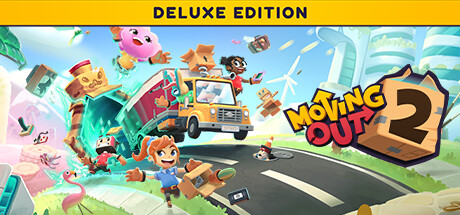
Buy Moving Out 2 - Deluxe edition / EU
Platform:
Windows
Genre:
Simulator
Publisher:
Team 17
Activation:
Steam
Release Date:
15 august 2023
Languages:
English
Type:
Key
Region:
EU
43.00 USD
 In stock
The whole gang is back, including several new recruits from the "P.O.P.A.S.T ... Digital Deluxe Edition (PC Exclusive)
There's no better way to move than with the Moving Out 2 Digital Deluxe Edition.
Includes:
Moving Out 2 base game
Moving Out 2 Art and Design: 250+ page digital art book
Jumbo Super Silly Activity Book: A digital activity book for kids
Behind the Scenes Commentary: Over 4 hours of voiceover commentary on the making of Moving Out 2 from SMG, composer Brad Gentle, and the sound design team at Sub Zero
3D Printable Models: Print your own moving kit
Soundtrack: 24 original tracks composed for the game
There's no better way to move than with the Moving Out 2 Digital Deluxe Edition.
Includes:
Moving Out 2 base game
Moving Out 2 Art and Design: 250+ page digital art book
Jumbo Super Silly Activity Book: A digital activity book for kids
Behind the Scenes Commentary: Over 4 hours of voiceover commentary on the making of Moving Out 2 from SMG, composer Brad Gentle, and the sound design team at Sub Zero
3D Printable Models: Print your own moving kit
Soundtrack: 24 original tracks composed for the game
Minimum:
- Requires a 64-bit processor and operating system
- OS: Windows 10 (64-bit)
- Processor: Intel Core i3-550 or AMD Phenom II X4 965
- Memory: 4 GB RAM
- Graphics: NVIDIA GeForce GTS 450, 1 GB or AMD Radeon HD 5770, 1 GB or Intel HD Graphics 630
- DirectX: Version 11
- Storage: 2 GB available space
- Additional Notes: 1080p @ 30 FPS
If you are not familiar with the technical information of your PC, download the CPU-Z program. CPU-Z will give you detailed information about the main system components - CPU, RAM, video card - installed on your system, which you can then compare with the minimum requirements of the game.
- Go to: http://store.steampowered.com/ and download STEAM client
- Click "Install Steam" (from the upper right corner)
- Install and start application, login with your Account name and Password (create one if you don't have).
- Please follow these instructions to activate a new retail purchase on Steam:
- Launch Steam and log into your Steam account.
- Click the Games Menu.
- Choose Activate a Product on Steam...
- Follow the onscreen instructions to complete the process.
- After successful code verification go to the "MY GAMES" tab and start downloading.
Videos & Screenshots


Recommended






- Payments
-

-

-

-

-

-

-

-

-
