
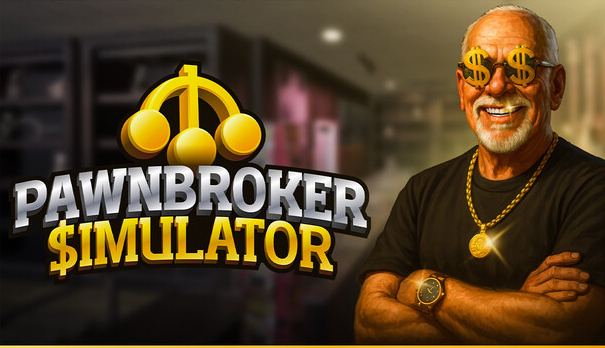
Buy Pawnbroker Simulator
Platform:
Windows
Genre:
Adventure
Publisher:
Ultimate Games SA
Activation:
Steam
Release Date:
11 march 2026
Languages:
English
Type:
Key
Region:
EU
15.00 USD
 In stock
RUN A PAWN SHOP
Build, expand, and customize your store! 🛠️
Appraise and buy second-hand items! 🔎
Buy cheaper than you could sell to profit! 🤑
Buy new displays, lighting, and decor from your tablet! 🛋️
Pay your utility bills and rent! 📨
Increase your reputation to unlock new content. 🌟
PERSONALITY
Customers will come and go to your shop, browsing the items displayed.🛍️
Every customer's shopping and haggling behaviours will be different. 🤠
Their emotions tend to swing a little bit daily to reflect real life and to eliminate monotony.
Get to know your regular customers and strategize based on their personality. ♟️
Study your audience and buy the kind of items you can sell easily.💎
HAGGLE
Evaluate and appraise the item when a customer wants to sell you something; otherwise, you might get scammed! 💸
When you have a price on your mind, don't forget to add a margin for profit! 💰
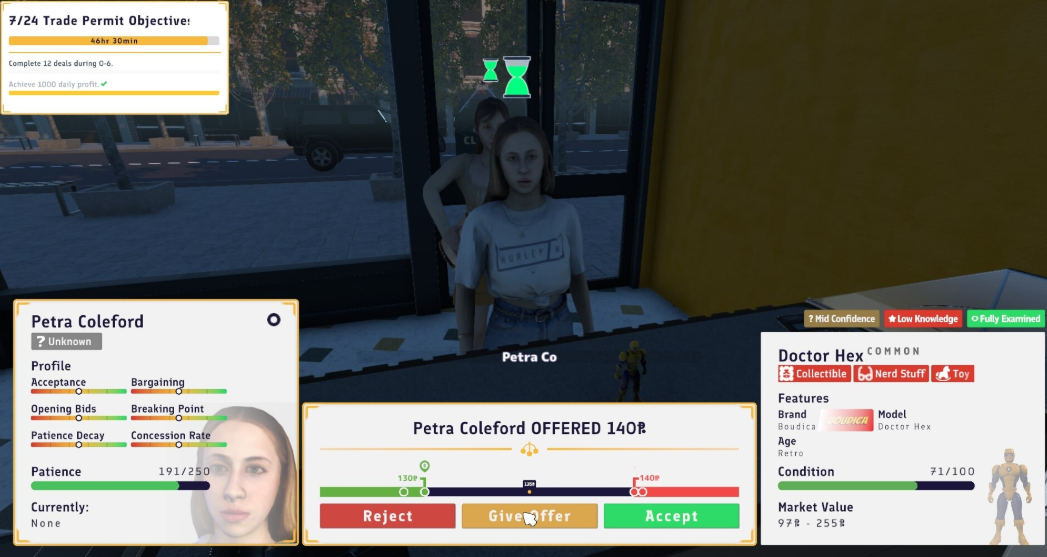
We carefully designed the haggle interface for you to comprehend previous bids, current bids, a slider for making new bids, and customer information all at once. 😎
Customers have patience. Strategize your way by studying your opponent's moves. 🎯
Sometimes, not buying an item might be the best way to profit from it. 😎
UNIQUE ITEMS
Over 100 unique items waiting to be evaluated interactively. 🎻
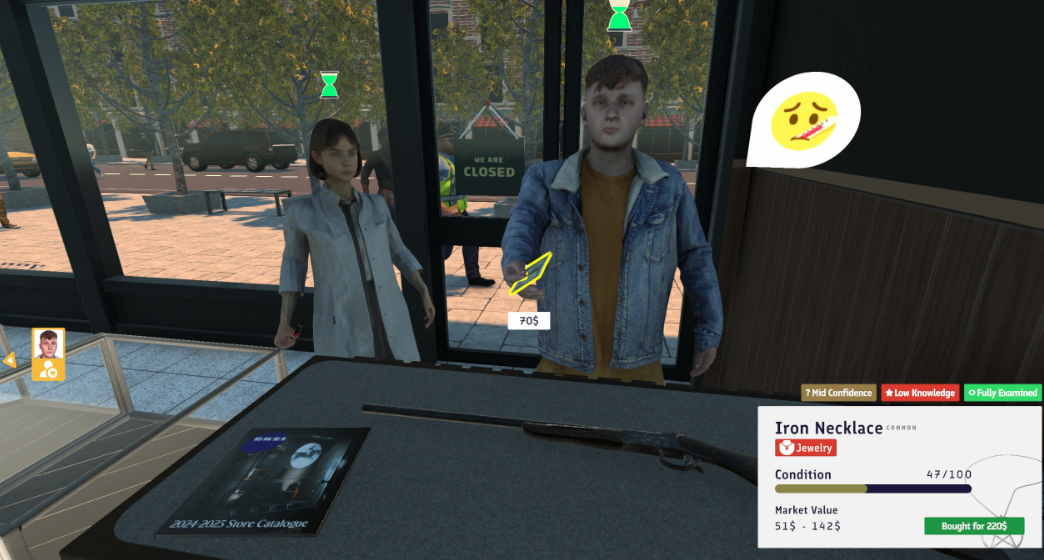
Item evaluation consists of visual examination (labels, engravings, ornaments), interactive examination (latches, buttons, triggers), and power examination (powering up with batteries or an electric outlet). 🏺
All items have condition, brand, model, rarity, and overall market price information for you to decide the best price! 🧐
If you cannot decide what is the best price, you can take photos from multiple angles and send them to an expert to get a better opinion. 🤓
ATTRACTION
In this game, we provide you with ways to attract more customers into your store and make them consider buying your displayed items. 🧲
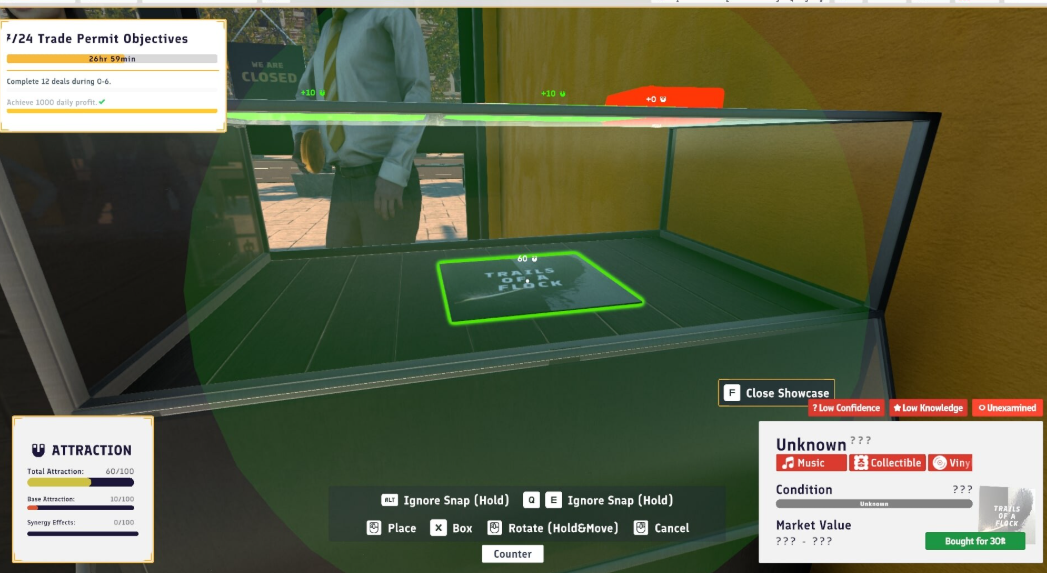
Store attraction is calculated with what items you put in your storefront, closer to your store windows, neon signs, and store signboard. This is what makes a regular person on the street want to visit your store. 👥
Item attraction is calculated with synergy, which means the harmony between items in the same area. This is what makes a visitor a customer. 🤝🏼
Carefully design your store to attract more people to your store, rather than to your displayed items, to make the best deals and get rich! 🚀
OUR ROADMAP
+2 Months - Storage Wars and Auction Update
+2 Months - Hire Employee Update
+2 Months - Customer Enhancement Update
Our release date is to be announced soon!
After that, we are planning to release a Second-hand Clash Update. Featuring storage wars, auctions, and 50+ new items.
After that, we plan to release a Pawn Empire Update. Featuring hiring employees, bank loans, and more financial mechanics.
After that, we are planning to release a Customer Update. Featuring new and more realistic customers with voice lines and visible emotions.
More to be announced after the release!
Build, expand, and customize your store! 🛠️
Appraise and buy second-hand items! 🔎
Buy cheaper than you could sell to profit! 🤑
Buy new displays, lighting, and decor from your tablet! 🛋️
Pay your utility bills and rent! 📨
Increase your reputation to unlock new content. 🌟
PERSONALITY
Customers will come and go to your shop, browsing the items displayed.🛍️
Every customer's shopping and haggling behaviours will be different. 🤠
Their emotions tend to swing a little bit daily to reflect real life and to eliminate monotony.
Get to know your regular customers and strategize based on their personality. ♟️
Study your audience and buy the kind of items you can sell easily.💎
HAGGLE
Evaluate and appraise the item when a customer wants to sell you something; otherwise, you might get scammed! 💸
When you have a price on your mind, don't forget to add a margin for profit! 💰
We carefully designed the haggle interface for you to comprehend previous bids, current bids, a slider for making new bids, and customer information all at once. 😎
Customers have patience. Strategize your way by studying your opponent's moves. 🎯
Sometimes, not buying an item might be the best way to profit from it. 😎
UNIQUE ITEMS
Over 100 unique items waiting to be evaluated interactively. 🎻
Item evaluation consists of visual examination (labels, engravings, ornaments), interactive examination (latches, buttons, triggers), and power examination (powering up with batteries or an electric outlet). 🏺
All items have condition, brand, model, rarity, and overall market price information for you to decide the best price! 🧐
If you cannot decide what is the best price, you can take photos from multiple angles and send them to an expert to get a better opinion. 🤓
ATTRACTION
In this game, we provide you with ways to attract more customers into your store and make them consider buying your displayed items. 🧲
Store attraction is calculated with what items you put in your storefront, closer to your store windows, neon signs, and store signboard. This is what makes a regular person on the street want to visit your store. 👥
Item attraction is calculated with synergy, which means the harmony between items in the same area. This is what makes a visitor a customer. 🤝🏼
Carefully design your store to attract more people to your store, rather than to your displayed items, to make the best deals and get rich! 🚀
OUR ROADMAP
+2 Months - Storage Wars and Auction Update
+2 Months - Hire Employee Update
+2 Months - Customer Enhancement Update
Our release date is to be announced soon!
After that, we are planning to release a Second-hand Clash Update. Featuring storage wars, auctions, and 50+ new items.
After that, we plan to release a Pawn Empire Update. Featuring hiring employees, bank loans, and more financial mechanics.
After that, we are planning to release a Customer Update. Featuring new and more realistic customers with voice lines and visible emotions.
More to be announced after the release!
Minimum Requirements
Requires a 64-bit processor and operating system
OS Windows 10 64-bit
Processor Intel Core i5-9400F / AMD Ryzen 5 1600
Memory 8 GB RAM
Graphics NVIDIA GeForce GTX 960 / AMD Radeon RX 560
DirectX Version 9.0c
Storage 16 GB available space
Sound Card DirectX Compatible
If you are not familiar with the technical information of your PC, download the CPU-Z program. CPU-Z will give you detailed information about the main system components - CPU, RAM, video card - installed on your system, which you can then compare with the minimum requirements of the game.
- Go to: http://store.steampowered.com/ and download STEAM client
- Click "Install Steam" (from the upper right corner)
- Install and start application, login with your Account name and Password (create one if you don't have).
- Please follow these instructions to activate a new retail purchase on Steam:
- Launch Steam and log into your Steam account.
- Click the Games Menu.
- Choose Activate a Product on Steam...
- Follow the onscreen instructions to complete the process.
- After successful code verification go to the "MY GAMES" tab and start downloading.
Videos & Screenshots

Recommended






- Payments
-

-

-

-

-

-

-

-

-
