
Buy Sunderfolk
Platform:
Windows
Genre:
Indie
Publisher:
Dreamhaven Inc
Activation:
Steam
Release Date:
23 april 2025
Languages:
English
Type:
Key
Region:
EU
3872 $
 In stock
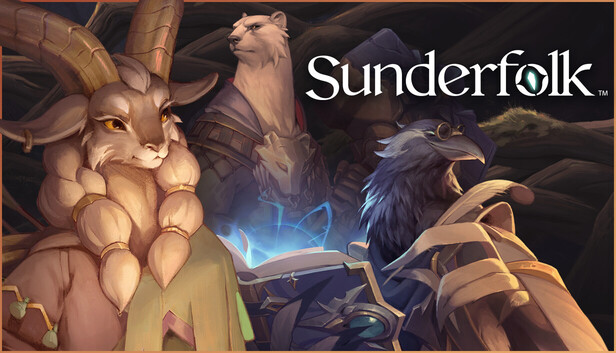
Rediscover game night with Sunderfolk, a tactical co-op RPG built to bring people together. Play a shared adventure where your phone becomes your guidebook, controller*, and player sheet. One copy is all you need for your whole party! Whether on the couch, across the world, or huddled around a laptop—it’s your party, your plan, and your story to tell.
*The free mobile app is required to play the game.
One Copy. Everyone Plays.
Only one player needs to own the game. Friends join for free using their phones or tablets—no accounts or extra copies needed! Scan a QR code on a shared screen to jump right in. It’s the easiest way to start an adventure together.
Prep Less. Play More.
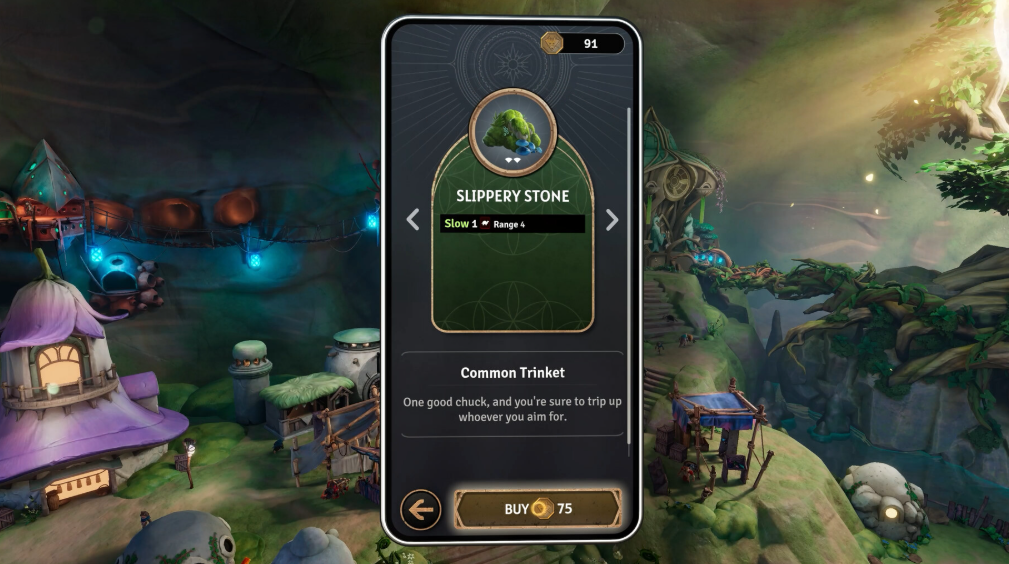
The free Sunderfolk Controller App becomes your hand of cards, guidebook, and controller. Everyone has exactly what they need to play. No setup, no crowding one screen, and no rules to memorize.
Play Your Way
Host a couch session, play remotely through Discord, or take it solo by controlling multiple heroes on your own. Sunderfolk bolsters your group, your setup, and your play style to make any night a great game night!
Start Your Adventure
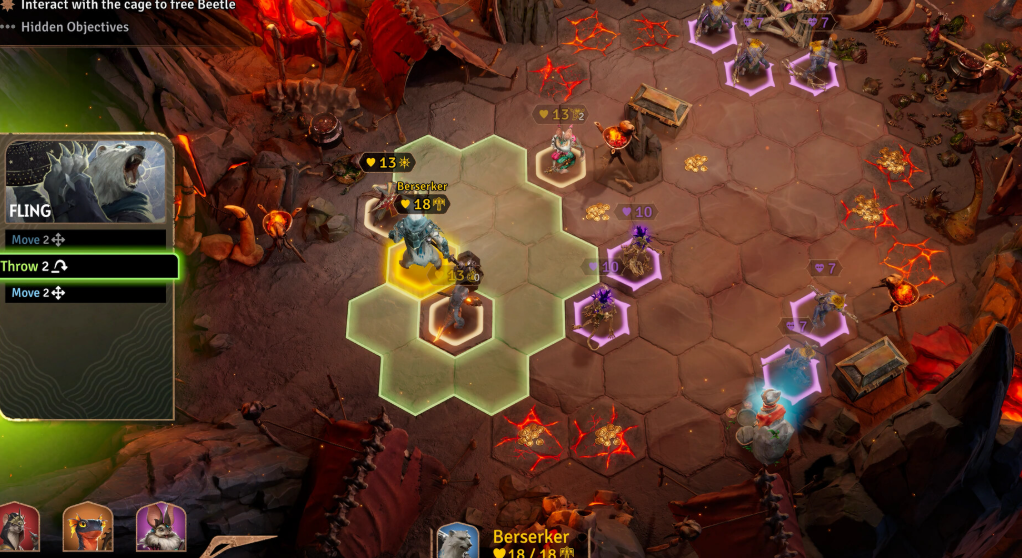
Start your campaign and take on challenging missions together. Use powerful skill cards, choose your turn order, and plan every move. Outsmart enemies, adapt your tactics, and face down epic bosses.
Find Rest in Arden
Between battles, unwind in the charming village of Arden. Upgrade shops, discover gear, share hearty meals, and connect with locals—some of whom may spark something more than friendship.
The Magic of Game Night, Reimagined
The magic of gathering around the table, without the setup. Sunderfolk brings friends and families together through thoughtful strategy and shared laughs. With phones as your guides and one copy for all, it’s game night the way you remember it.
*The free mobile app is required to play the game.
One Copy. Everyone Plays.
Only one player needs to own the game. Friends join for free using their phones or tablets—no accounts or extra copies needed! Scan a QR code on a shared screen to jump right in. It’s the easiest way to start an adventure together.
Prep Less. Play More.
The free Sunderfolk Controller App becomes your hand of cards, guidebook, and controller. Everyone has exactly what they need to play. No setup, no crowding one screen, and no rules to memorize.
Play Your Way
Host a couch session, play remotely through Discord, or take it solo by controlling multiple heroes on your own. Sunderfolk bolsters your group, your setup, and your play style to make any night a great game night!
Start Your Adventure
Start your campaign and take on challenging missions together. Use powerful skill cards, choose your turn order, and plan every move. Outsmart enemies, adapt your tactics, and face down epic bosses.
Find Rest in Arden
Between battles, unwind in the charming village of Arden. Upgrade shops, discover gear, share hearty meals, and connect with locals—some of whom may spark something more than friendship.
The Magic of Game Night, Reimagined
The magic of gathering around the table, without the setup. Sunderfolk brings friends and families together through thoughtful strategy and shared laughs. With phones as your guides and one copy for all, it’s game night the way you remember it.
Minimum Requirements
Requires a 64-bit processor and operating system
OS Windows 10 x64 or higher
Processor Intel Core i5-4590 or AMD Ryzen 3 4100
Memory 8 GB RAM
Graphics GeForce GTX 750 Ti [2 GB] or Radeon RX 570 [8 GB]
DirectX Version 12
Storage 12 GB available space
Additional Notes Sunderfolk requires a free smartphone or tablet app to play.
If you are not familiar with the technical information of your PC, download the CPU-Z program. CPU-Z will give you detailed information about the main system components - CPU, RAM, video card - installed on your system, which you can then compare with the minimum requirements of the game.
- Go to: http://store.steampowered.com/ and download STEAM client
- Click "Install Steam" (from the upper right corner)
- Install and start application, login with your Account name and Password (create one if you don't have).
- Please follow these instructions to activate a new retail purchase on Steam:
- Launch Steam and log into your Steam account.
- Click the Games Menu.
- Choose Activate a Product on Steam...
- Follow the onscreen instructions to complete the process.
- After successful code verification go to the "MY GAMES" tab and start downloading.
Videos & Screenshots




- Payments
-

-

-

-

-

-

-

-

-
