
Buy The Escapists 2 - Season Pass /GLOBAL
DLC
Platform:
Windows
Genre:
Adventure
Publisher:
Team 17
Activation:
Steam
Release Date:
22 august 2017
Languages:
English
Type:
Key
Region:
Global
10 $
 In stock
Extra Content
The Escapists 2 / CIS+TR required to run
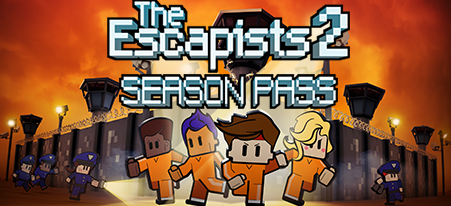
Get access to exciting additional content for The Escapists 2 with the season pass. Test your escaping expertise by breaking out of three exhilarating new prisons with extra items, customisations and thrilling new ways to escape!
The Escapists 2 Season Pass will feature 3 brand new prisons to be released over the coming months, this Season Pass will represent a saving over purchasing the prisons individually.
Note: The Glorious Regime prison is NOT included in the Season Pass.
This content requires the base game The Escapists 2
The Escapists 2 Season Pass will feature 3 brand new prisons to be released over the coming months, this Season Pass will represent a saving over purchasing the prisons individually.
Note: The Glorious Regime prison is NOT included in the Season Pass.
This content requires the base game The Escapists 2
Minimum Requirements
OS Windows 7/8.1/10 (32-bit versions)
Processor Intel Dual Core 6600 at 2.4GHz
Memory 2 GB RAM
Graphics Intel 4400, GeForce GTX 280, AMD Radeon HD 7750
DirectX Version 11
Storage 2 GB available space
Sound Card Windows Compatible Sound card
If you are not familiar with the technical information of your PC, download the CPU-Z program. CPU-Z will give you detailed information about the main system components - CPU, RAM, video card - installed on your system, which you can then compare with the minimum requirements of the game.
- Go to: http://store.steampowered.com/ and download STEAM client
- Click "Install Steam" (from the upper right corner)
- Install and start application, login with your Account name and Password (create one if you don't have).
- Please follow these instructions to activate a new retail purchase on Steam:
- Launch Steam and log into your Steam account.
- Click the Games Menu.
- Choose Activate a Product on Steam...
- Follow the onscreen instructions to complete the process.
- After successful code verification go to the "MY GAMES" tab and start downloading.




- Payments
-

-

-

-

-

-

-

-

-
