
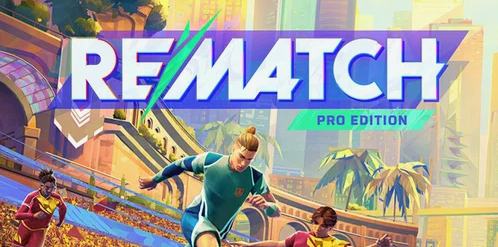
Buy REMATCH - PRO EDITION
Platform:
Windows
Genre:
Sports
Publisher:
Kepler Interactive
Activation:
Steam
Release Date:
19 june 2025
Languages:
English
Type:
Key
Region:
EU
40 $
 In stock
Step onto the pitch with the Rematch Pro Edition, designed for the dedicated. It includes:
- Captain Pass Upgrade Ticket – Elevate your game and your rewards, step by step.
- Blazon Player Background & Title – Showcase your identity with an epic design that makes a statement as unique as you are.
- Blazon Buckler Tank Top – Classic tank top rebellion with blazon elegance, crafted for those who show their strength and shape their destiny with every match.
- Blazon Pattern (for Top & Bottom clothes) – Infuse your outfit with a seamless epic design that truly reflects your unique identity—perfect for those who want their style to tell their story.
- Blazon Jewel Set – Crafted from folded leather, each piece designed to shine on and off the field.
Minimum Requirements
Windows
OS Windows 10 / Windows 11
Processor AMD Ryzen 5 3400G / Intel Core i5-9400, or better
Memory 8 GB RAM
Graphics AMD Radeon RX 5500 (4GB) / NVIDIA GeForce RTX 1060 (4GB), or better
DirectX Version 12
Network Broadband Internet connection
Storage 20 GB available space
Additional Notes DirectX12 Shader Model 5.0 / SSD required
If you are not familiar with the technical information of your PC, download the CPU-Z program. CPU-Z will give you detailed information about the main system components - CPU, RAM, video card - installed on your system, which you can then compare with the minimum requirements of the game.
- Go to: http://store.steampowered.com/ and download STEAM client
- Click "Install Steam" (from the upper right corner)
- Install and start application, login with your Account name and Password (create one if you don't have).
- Please follow these instructions to activate a new retail purchase on Steam:
- Launch Steam and log into your Steam account.
- Click the Games Menu.
- Choose Activate a Product on Steam...
- Follow the onscreen instructions to complete the process.
- After successful code verification go to the "MY GAMES" tab and start downloading.
Videos & Screenshots





- Payments
-

-

-

-

-

-

-

-

-
